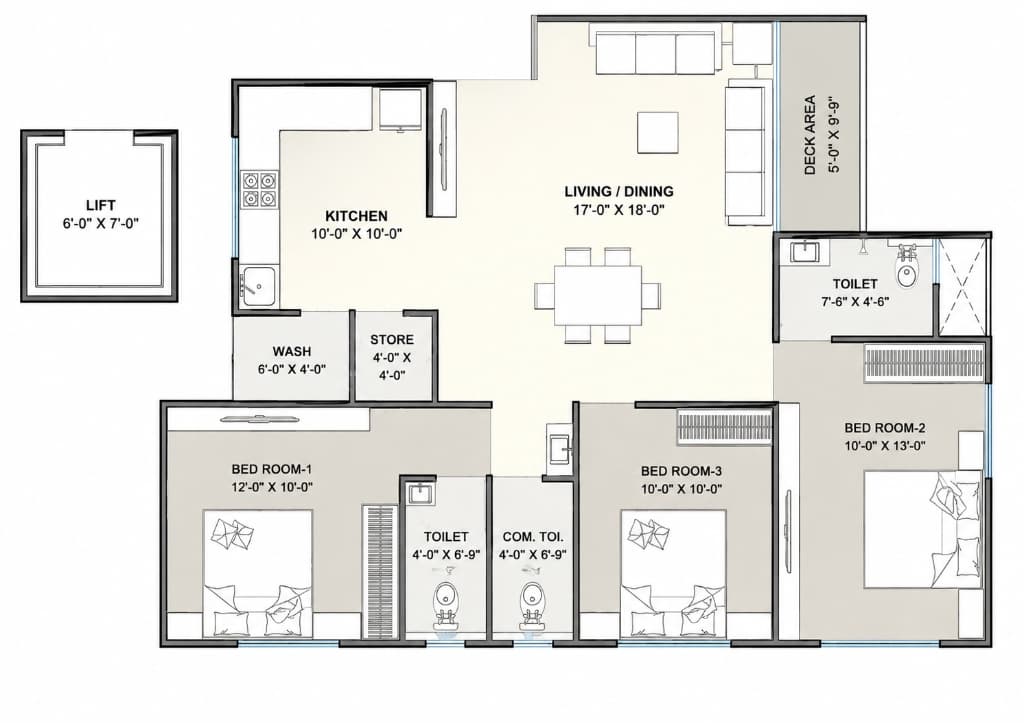
Begin with the room, not the sofa
Measure the walls and record doors, windows and fixed features before arranging furniture. In the sample, the living/dining area has several connections to other spaces, so keeping those routes legible is part of the task.
Select furniture in the studio to move, rotate or resize it. Use measurements from the actual item you plan to buy; a generic catalogue object is only a starting point.
Change one decision at a time
Start with the largest piece, then work toward tables and chairs. If you change every object at once, it becomes harder to explain why an arrangement improved.
- Open the sample and inspect the living/dining room in plan view.
- Move one seating piece and inspect the route to the adjoining spaces.
- Switch to orbit or walk view to review the same change.
- Keep the arrangement or undo it, then test your next idea.
Compare a plan with everyday use
Imagine arriving with shopping, pulling out a dining chair and crossing the room while someone else is seated. These questions reveal tradeoffs that an attractive top-down arrangement can hide.
The sample is an exercise, not a clearance or accessibility certification. Check real furniture dimensions, door movement and the requirements of the people who will use the room.
Questions before you start
- Can I resize furniture?
- The studio supports furniture dimensions and transforms. Check the selected object and use the actual item dimensions when evaluating a purchase.
- Will my layout be public?
- Opening the sample does not publish your edits. Projects keep a browser copy and can sync with your account when account saving is available. Check the project library save status and export a backup.
- Where should I start?
- Try the furnished 3BHK sample and move one object in the living/dining area. You can also start an empty project from the Projects page.