At a glance
- A room concept helps you discuss an appearance. An editable plan helps you test a measured arrangement.
- A 3D view is only as useful as its model and inputs. Verify the source measurements and actual furniture sizes.
- Move between concepts and planning deliberately. Do not treat a rendered image as an automatically editable floor plan.
Compare outputs, rather than labels
AI and 3D describe different things. AI describes part of a software process. 3D describes how a model represents space. A tool can use both. An AI system may produce an editable model, while a conventional renderer can produce a single image.
For this comparison, an image concept means a room picture without verified editable geometry. Measured planning means a model with room and furniture dimensions you can inspect and change. Check what the particular tool supplies before assigning it to either workflow.
Ask one practical question: what can I change after the first result? Recoloring an image is different from moving a dimensioned sofa. Requesting a new picture is different from keeping the room fixed while checking one furniture position.
| Decision | Image concept | Measured planning model |
|---|---|---|
| Explore a color or material direction | Useful visual starting point | Useful when the model has suitable finishes |
| Check the size of an actual sofa | No verified furniture footprint by itself | Compare entered product dimensions with the room |
| Move an item while keeping walls fixed | May need another image or an edit request | Change the selected object in the same model |
| Inspect a different camera view | A new image may introduce other changes | Change the camera around the same modeled arrangement |
| Approve construction work | Does not establish technical compliance | Still needs verified inputs and appropriate technical review |
Try one room question in both views
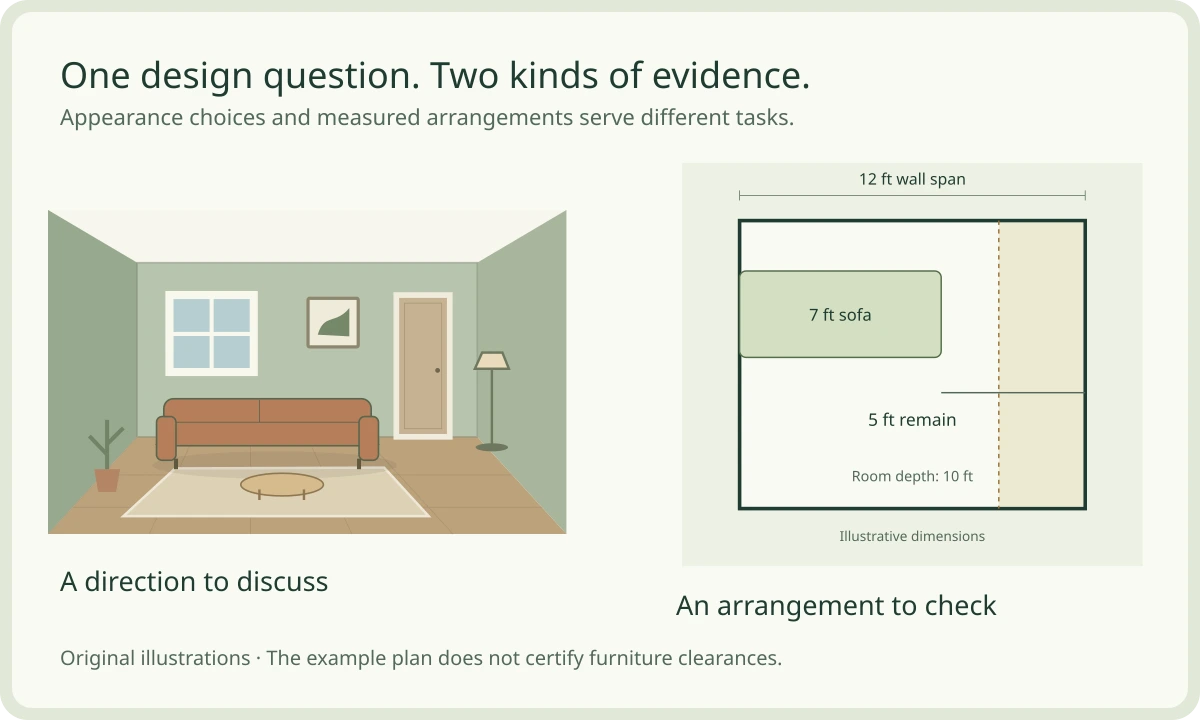
Choose the concept, plan or combined workflow in the interactive comparison. The concept shows a style direction. The plan uses an illustrative 12 × 10 ft room and a sofa width you can change. It keeps the room boundary fixed.
This example brief asks to reserve three feet at the end of a twelve-foot wall span. Change the sofa width and compare the remaining span with that request. At seven feet, five feet remain. At ten feet, two feet remain. The calculation answers this narrow example question only.
The three-foot target is a teaching assumption, not a clearance standard. The diagram does not test the complete route, door swing or furniture depth. For a real room, inspect those conditions separately. The concept and plan are separate drawings, not synchronized exports from a product.
A picture and a plan answer different questions
Switch outputs to compare their evidence. Then change a real number in the illustrative plan.
Discuss the appearance
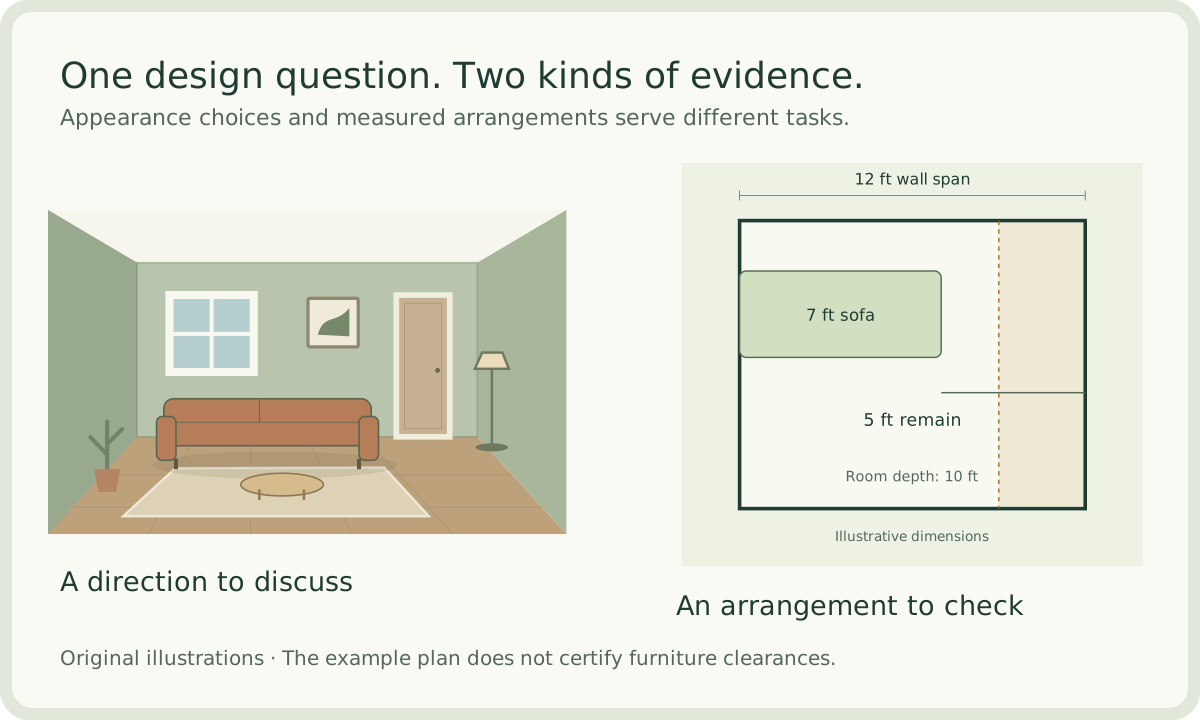
Compare the fabric, wood and wall direction. The room picture does not establish an editable furniture footprint.
Keep a style preference. Check dimensions separately.Original concept illustration. There are no verified furniture dimensions in this picture.
All scenes are original illustrations. The plan uses stated example dimensions. Neither view establishes construction accuracy or technical compliance.
Use a concept when appearance is the open question
Choose a photo concept when you need to compare a mood, palette or furniture style. Start with the same room image and keep the required features in the brief. Limit the comparison to a few directions that you can describe clearly.
For the example living room, a concept can help compare muted green fabric with warm neutral fabric beside pale wood. Save the preferred combination and explain why it suits the room. Keep the product choice open until you check actual dimensions and samples.
Review unexpected changes before borrowing the idea. A missing door or altered window can make a picture look cleaner while weakening its value for your home. Retain the useful palette without copying the changed architecture.
Use measured planning when size or movement is the question
Choose an editable plan when the decision depends on room boundaries, furniture footprints or connected spaces. Enter verified room measurements first. Add the actual product dimensions rather than assuming that a similar-looking catalogue object has the correct size.
Inspect plan view for positions and openings. Use orbit view to understand how the objects relate in space. Use walk view for another perspective, then return to dimensions for a fit decision. A perspective view can be persuasive without being a measurement.
Keep alternatives comparable. Duplicate a project when you need separate versions. Move one item and record the result from the same views. A changed sofa position can improve one activity while making another less convenient. Write down both effects.
Combine the workflows without losing the evidence
Keep three records: the original room information, the preferred concept and the measured layout. Give each a clear role. The original records existing conditions. The concept records the appearance direction. The plan records the arrangement you are testing.
Carry selected ideas into the model manually where supported. For example, retain a pale-wood direction while checking whether the reading chair works beside the existing sofa. Do not move a fixed opening only because the concept placed it elsewhere.
When the layout changes, revisit the concept. A different furniture position can change the balance of a feature wall or the useful location of a lamp. Keep the connection explicit through notes. This workflow does not require or imply automatic image-to-model synchronization.
- Collect room information and mark measurements that still need checking.
- Create or select a small set of appearance concepts.
- Review each concept against the fixed conditions.
- Test the chosen furniture and activity in a measured plan.
- Keep the chosen direction, layout and unresolved questions together.
Choose the next useful HouseSpace action
If your question is about style, open Photo Design and check its current connection status. The workspace supports briefs, imported concepts and configured generation. Image generation sends the photo to OpenAI, requires API-cost consent and is separate from the free planning preview.
If your question is about fit, open the furnished sample or create measured rooms in the studio. Sign-in is required. Inspect the actual dimensions and compare plan with 3D. Check the project save status and export a backup before switching devices.
For a wall change or building work, organize the measured information and the questions that remain. A concept and planning model can make a discussion clearer. Technical approval needs the appropriate professionals and verified property information.
Questions before you start
- Is AI home design better than 3D planning?
- Choose by the question and output. A concept image can help compare an appearance. A measured, editable model can help test an arrangement. Some tools combine AI and 3D, so inspect their actual capabilities.
- Can a generated room image prove that furniture fits?
- No. Use actual furniture and room dimensions. An image can suggest a relationship without providing a verified footprint or the space needed to use the furniture.
- Can a 3D model be inaccurate?
- Yes. Incorrect room measurements or generic furniture sizes produce an unreliable comparison. Verify the inputs and check the model against the real property.
- Can I combine a room concept with HouseSpace planning?
- Yes, as a deliberate workflow. Review the concept, retain useful appearance ideas and test the furniture in measured rooms. Do not assume that a concept image converts automatically into editable geometry.
- What does the interactive sofa calculation measure?
- It subtracts the chosen sofa width from a stated twelve-foot wall span. It compares the remainder with an illustrative three-foot target. It does not check a complete room route or establish clearance compliance.
Sources and review
Prepared by HouseSpace from current product source, a local Photo Design exercise and original teaching illustrations; reviewed 16 October 2026. This is product guidance, not an architectural certification or an independent software review.