At a glance
- Choose the task first: compare a style, test furniture fit, or review room connections.
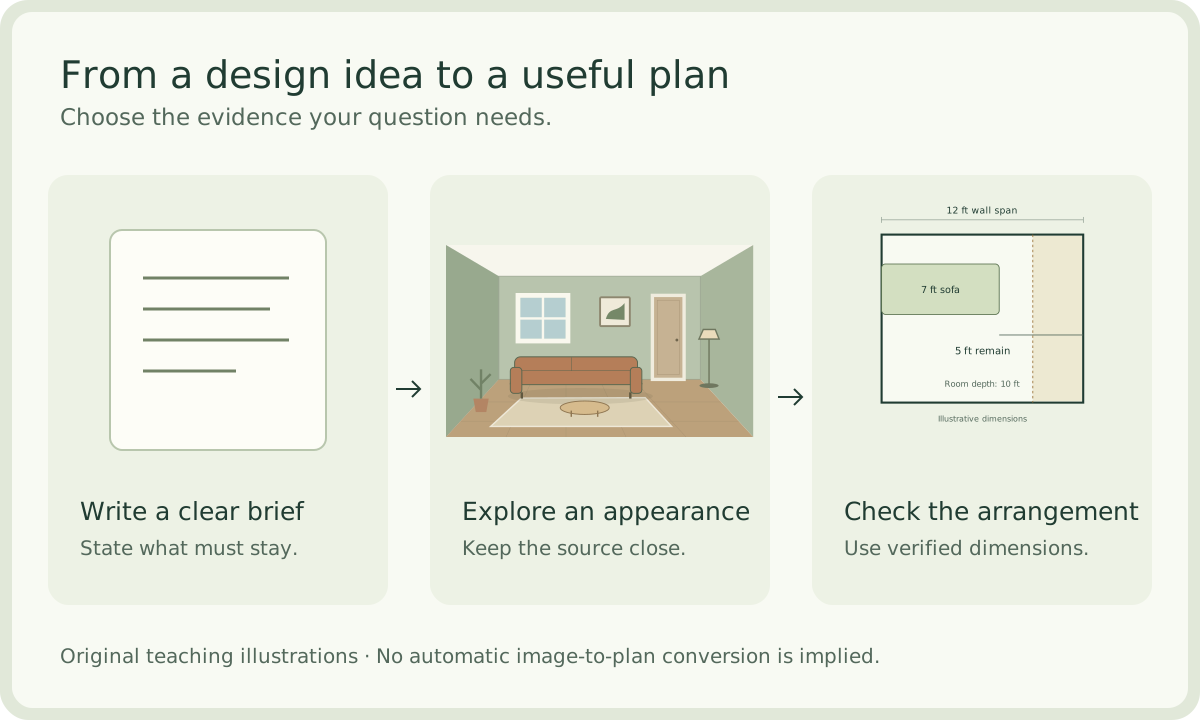
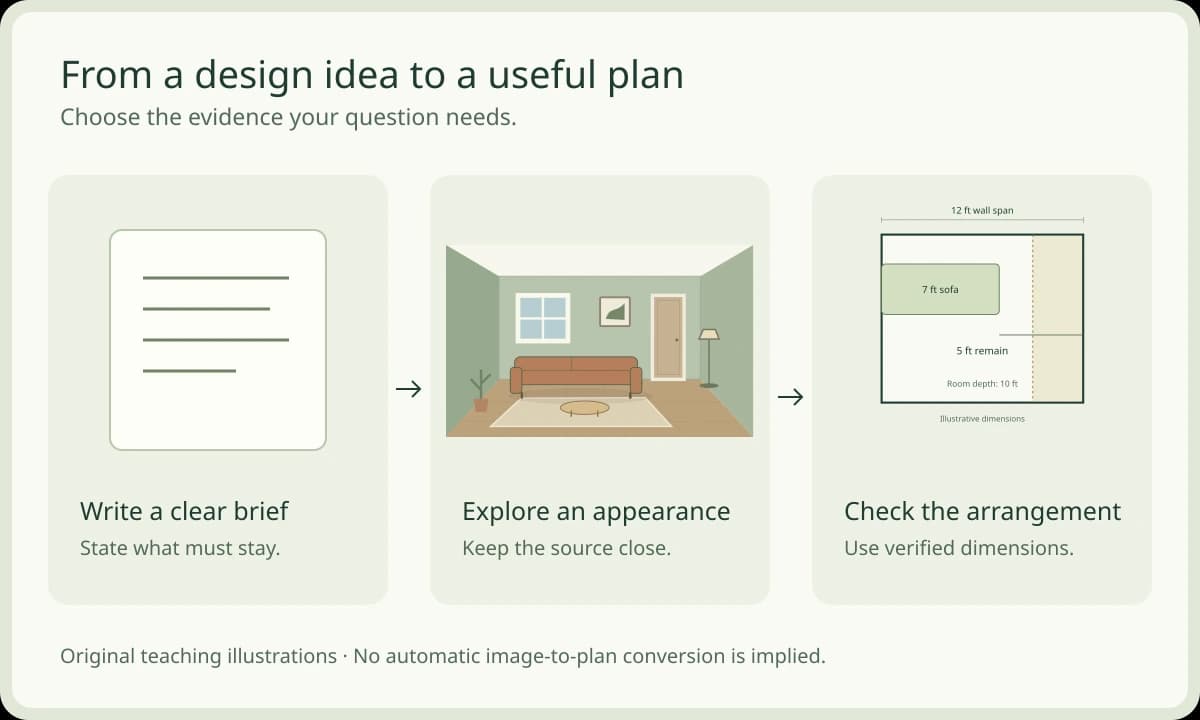
- Treat a photo concept as appearance evidence. Verify furniture and room dimensions in a measured plan.
- HouseSpace offers a planning preview and a separate Photo Design workspace. Photo generation needs configuration and has API costs.
What can AI home design help you decide?
Separate the appearance of a room from the way it works. Appearance includes color, material combinations, lighting character and furniture style. Layout includes furniture footprints, opening positions, storage access and routes between activities. These decisions can affect each other, but they need different evidence.
For example, a pale sofa and oak table may suit the mood of a room. The image alone does not show whether your seven-foot sofa fits beside the entrance. Keep the style choice as an idea. Check the actual sofa dimensions against the measured room before buying it.
The term AI home design covers several kinds of software. Some systems generate pictures. Others propose or recognize floor plans. Check the output rather than assuming that every tool creates editable walls, furniture or dimensions.
| Your question | Useful starting output | Check before acting |
|---|---|---|
| Which colors and materials work together? | A photo concept or a small set of references | Compare with actual material samples and room light |
| Will this sofa fit? | A measured plan with the actual furniture footprint | Room dimensions, openings and space needed to use nearby items |
| Should the dining area move? | Two editable layouts with the same boundaries | Connections to the kitchen, seating and entrances |
| Can a wall be removed? | A clear question and measured information for professional review | Structure, services and required approvals |
Choose a workflow around the decision
Select your main task in the diagram. Then mark whether you have checked the room dimensions. The suggested sequence changes because a missing measurement matters more to furniture fit than to an early color discussion.
For a style question, start with a photo and a short brief. For a fit question, collect dimensions before comparing furniture. For a room-connection question, begin with the plan and the daily activities it must support. Add a visual concept when it helps explain the chosen direction.
Start with the question
Choose the decision. Your next useful step depends on what you need to know and what you have measured.
Start with a visual direction
You can explore an appearance now. Measure the room before making a fit or purchase decision.
- Describe what staysList fixed features and furniture you will retain.
- Compare room conceptsUse the same source image and change one style choice.
- Measure before buyingCheck actual products in the measured room.
This selector suggests a work sequence. It does not generate a design, certify measurements or save your answers.
Write a brief that you can check
A useful brief names the room, the required activity and the features that must stay. List the desired changes separately. This lets you compare a result with the request instead of judging only whether it looks attractive.
Use this illustrative living-room brief: “Explore a calm Japandi direction for a 12 × 10 ft living room. Keep the existing door and window positions. Keep the seven-foot sofa. Add a reading corner. Compare pale wood and warm neutral fabrics.” The dimensions describe this teaching example, not your property.
The brief still leaves questions. Where is the door? How deep is the sofa? Does the reading chair interrupt a route? Record those questions beside the concept. A prompt can state a requirement, but it does not prove that the result satisfies it.
- Room and activity: living room for conversation and reading.
- Fixed conditions: measured outline, openings and fixed services.
- Items to retain: the actual sofa, storage and other required furniture.
- Appearance choices: two or three material and color directions.
- Open questions: missing dimensions, product availability and layout conflicts.
Compare a few controlled alternatives
Keep the same starting information when comparing ideas. Use the same photo, camera view and brief. Change one design direction at a time, such as the wall color or the furniture style. This makes the differences easier to explain.
For the example brief, compare pale wood with darker wood while retaining the sofa and required reading activity. Write what you prefer about each option. Then note anything that appears to have changed without permission, such as a missing radiator or a wider window.
Do not choose an option because the generated room appears larger. Perspective, lighting and replaced furniture can change that impression. Keep an appearance preference and a dimension claim in separate notes. Use measured information for the second claim.
Turn the preferred idea into a layout check
Carry the useful parts of the concept into a measured plan. Enter the room outline and openings. Add the real dimensions of the sofa, chair and table. Try the reading corner without changing the fixed structure merely to match the picture.
Check the actions the room must support. Pull out a chair in your review. Consider storage doors in use. Trace the route from the entrance to adjoining spaces. Inspect the same arrangement in plan and 3D, then record the benefit and compromise of the change.
This is a deliberate handoff between tasks. A concept image does not automatically become editable geometry. In HouseSpace, start with measured rooms or the furnished sample. General automatic conversion of arbitrary uploaded blueprints is not currently available.
Use the supported HouseSpace task
Use the planning studio to create rooms, place furniture and inspect the same arrangement in plan, orbit and walk views. The current planning preview is free without a card. Sign-in is required. Try the sample on your intended device before starting a detailed model.
Use Photo Design for a room-photo brief and concept comparison. You can upload a supported image, choose a style and prepare a brief. In-app image generation requires a configured connection and explicit API-cost consent. If generation is unavailable, the workspace can prepare a brief and import an existing concept.
Keep the original inputs and a note of the decision you made. Check the project save status and keep a backup of editable work. Confirm real materials, measurements and technical changes before committing money to the design.
Questions before you start
- What is AI home design?
- It is the use of AI to explore home-design ideas or process design information. The output may be a room image, a proposed layout or another kind of result. Check which elements are editable and which dimensions are verified.
- Can I use AI to redesign my room from a photo?
- A photo-based concept can help you explore an appearance. Compare it with the original room and check openings, proportions and retained items. Use measurements to test furniture fit.
- Is AI home design free in HouseSpace?
- The current planning preview is free without a card and requires sign-in. Optional Photo Design generation uses paid OpenAI API credits on the configured account. Generation availability and usage limits depend on the deployment.
- Can an AI room image tell me what furniture to buy?
- It can help describe a style, but pictured furniture may not correspond to an available product. Check the product dimensions, finish, price and delivery requirements separately.
- Does a photo concept become an editable HouseSpace plan?
- No automatic photo-to-measured-plan conversion is established by this workflow. Create measured rooms or open the editable sample, then test the chosen furniture arrangement.
Sources and review
Prepared by HouseSpace from current product source, a local Photo Design exercise and original teaching illustrations; reviewed 16 October 2026. This is product guidance, not an architectural certification or an independent software review.